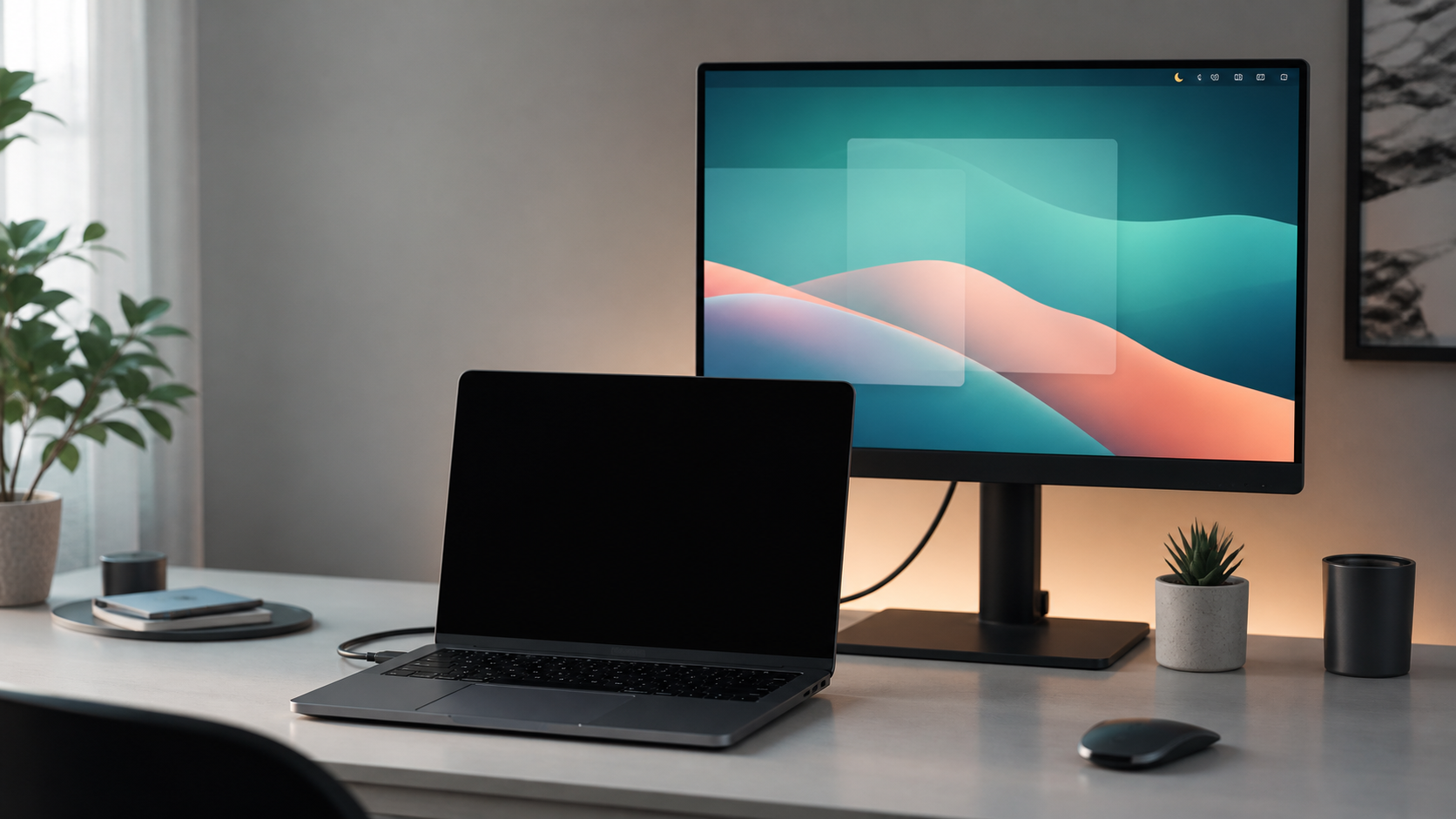
Laptop with blacked-out built-in display in front of an active external monitor.

來自 Mac App Store 的選單列工具程式

XHelpers

實用的桌面功能,融合為一款 Mac 工具。

XHelpers 將顯示器控制、Finder 操作與本機檔案加密整合到單一的選單列 App 中 — 採用沙盒機制,並透過 Mac App Store 發佈。

顯示器控制 Finder 動作 本機 Safe 加密(.safe) 隱私為本

顯示器控制

不必在系統設定、第三方視窗工具和顯示器選單之間切換,即可管理你的視覺工作區。

  • 鏡像輸出到外接螢幕時,將 MacBook 內建螢幕熄黑。
  • 切換鏡像、按鍵前保持螢幕變暗、睡眠,以及調整亮度或對比度。
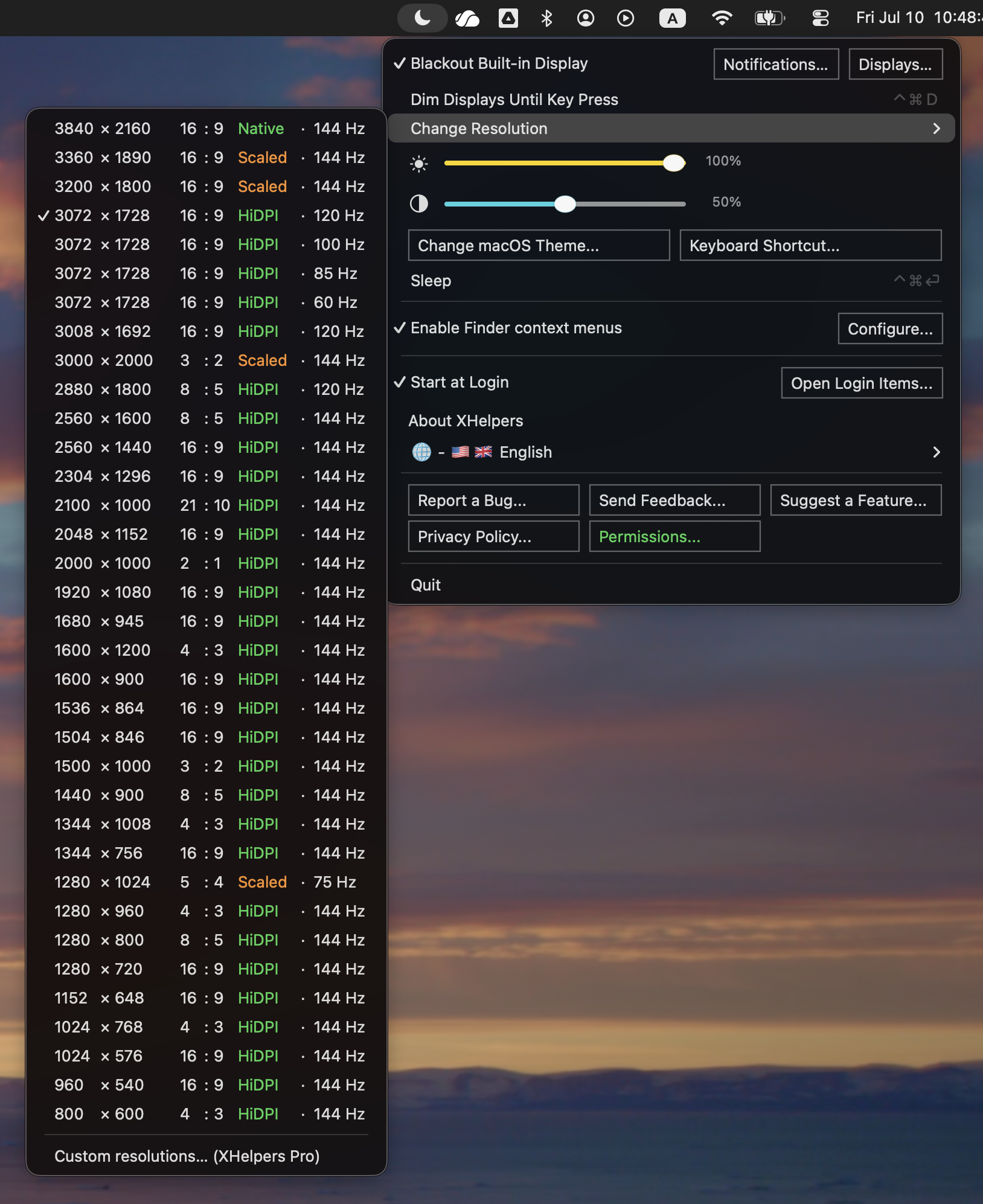
  • 在顯示器支援的模式(包括 HiDPI)之間快速切換。
自訂 HiDPI 解析度預置組屬於 XHelpers Pro;XHelpers 會在顯示器已支援的模式之間切換。
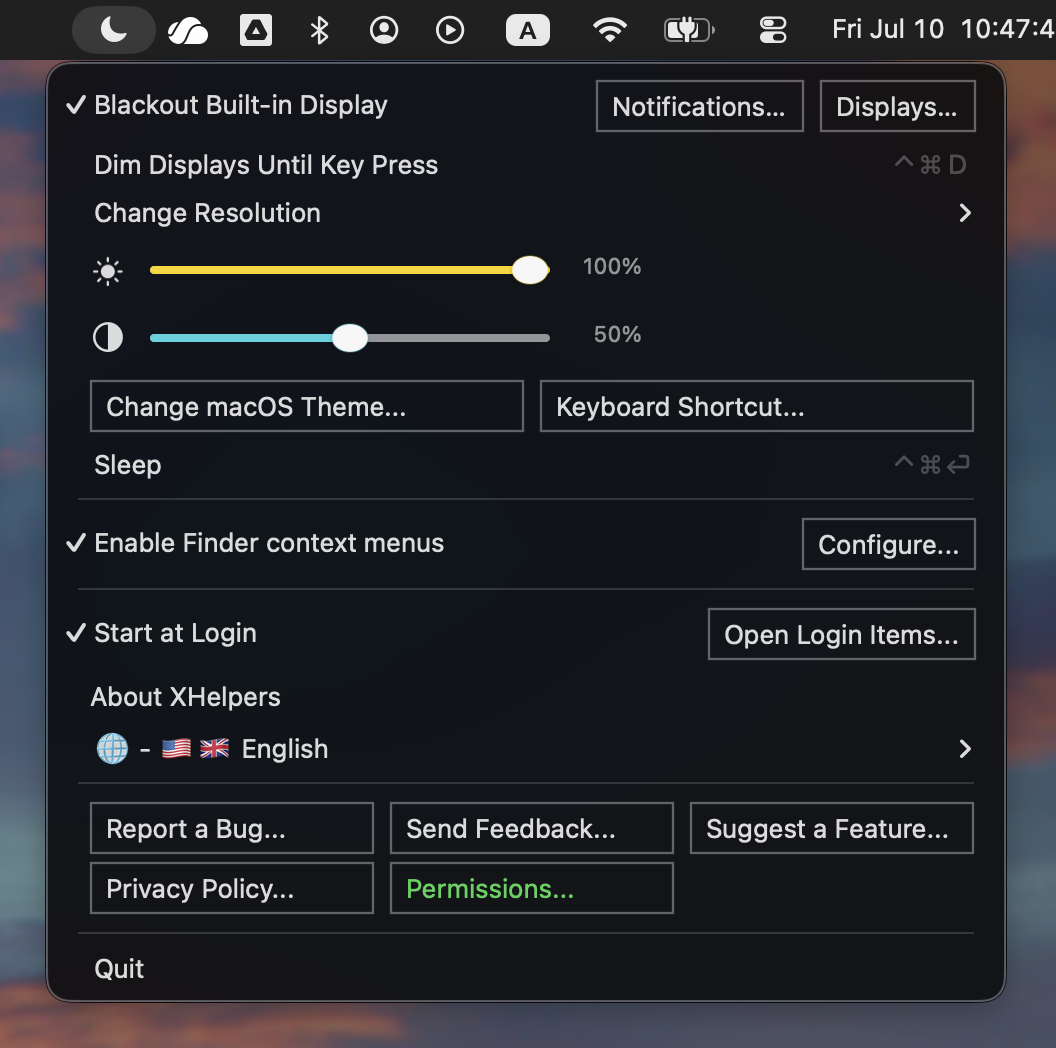
Main menu
主選單
Display modes
更改解析度

Finder 動作與本機保險箱

讓 Finder 更好用,同時讓所選檔案、密碼與加密保險箱都留在你的 Mac 上。

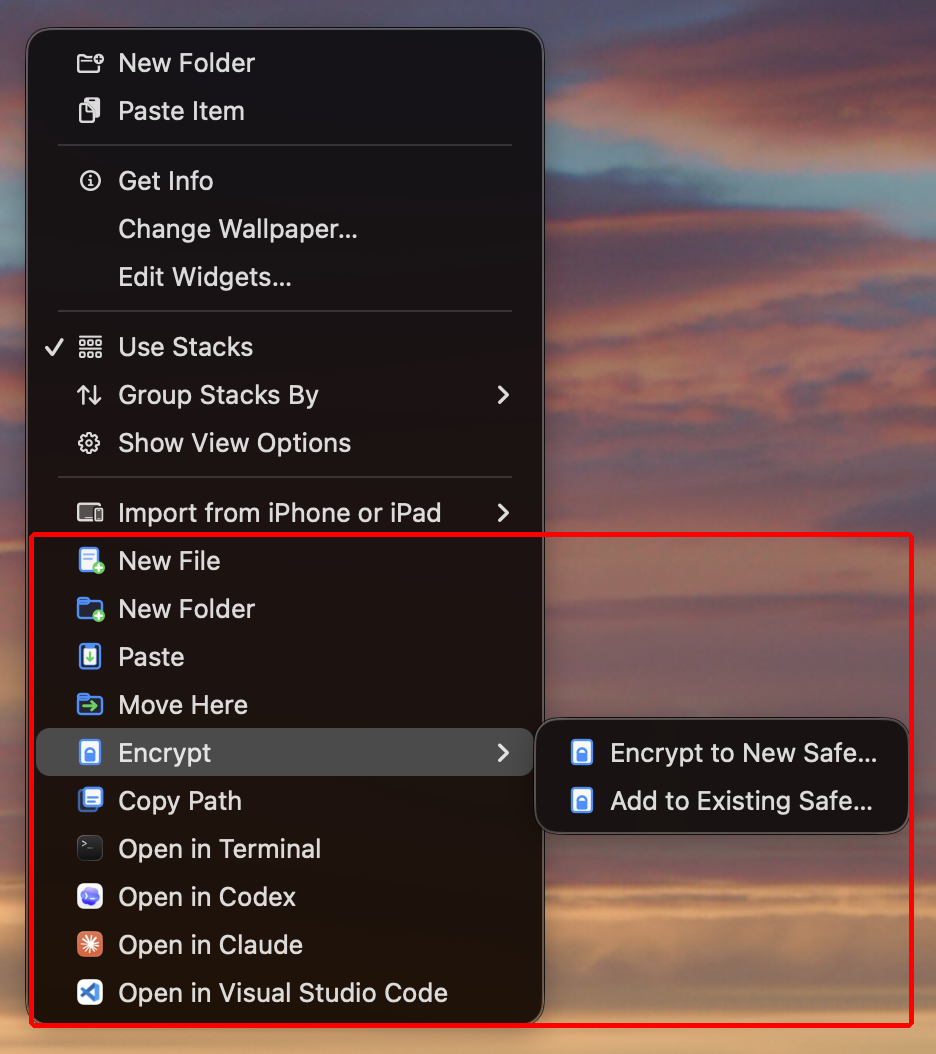
  • 直接在 Finder 中新增檔案與資料夾。
  • 貼上、移動、拷貝路徑,並在 Terminal、TextEdit、VS Code、Codex、Claude 或其他支援的 App 中開啟資料夾。
  • 將所選檔案或資料夾加密為本機 .safe 檔案。
  • 將檔案加入現有保險箱,或只解密所選內容。
  • 相容的 .7z、.zip 和 .dmg 格式於 XHelpers Pro 中提供。
  • 選單標題可顯示目標檔案夾,每個動作都會落在你預期的位置。
只有當你在右鍵選單選擇 XHelpers 動作時,Finder 與保險箱動作才會執行。
Finder actions
Finder 動作
Finder configuration and permissions
Finder 設定與權限

隱私為本

XHelpers 為本機 Mac 工作流程而生。它不會把你的桌面工具變成另一個帳號、分析資料流或雲端檔案服務。

  • 沙箱化的 Mac App Store App。
  • 無需帳號。
  • 沒有分析、廣告 SDK、使用遙測或工作階段追蹤。
  • Safe 密碼絕不儲存、記錄或傳輸;加密在本機執行。
  • 僅有一項可選權限,並在 App 內以即時狀態說明:Finder 擴充功能。
Permissions overview showing the single Finder Extension permission with live status.
權限總覽(即時狀態)
What's good about it?

Less fuss at your desk.

  • Only blacks out when it should dark when mirrored, normal when the MacBook screen is part of your workspace
  • Fast everyday actions switch mirroring, dim until key press, sleep, open Finder paths, and encrypt Safes
  • Helpful, not noisy runs from the menu bar without a Dock window, account, or analytics
For desk setups made for MacBooks that spend real time connected to an external display
For Finder and private files create, paste, move, open, encrypt, and decrypt selected items from the context menu you already use
For privacy no account, no analytics, no Safe password logging, and feedback opens as a reviewable email draft
How to get it

Install it from the Mac App Store.

  1. 1 在 Mac App Store 打開 XHelpers 頁面。
  2. 2 安裝 XHelpers,並從「應用程式」啟動。
  3. 3 僅在你使用 Finder 操作時才啟用 Finder 擴充功能。
macOS 13.0 或更高版本 Apple Silicon + Intel 透過 App Store 更新