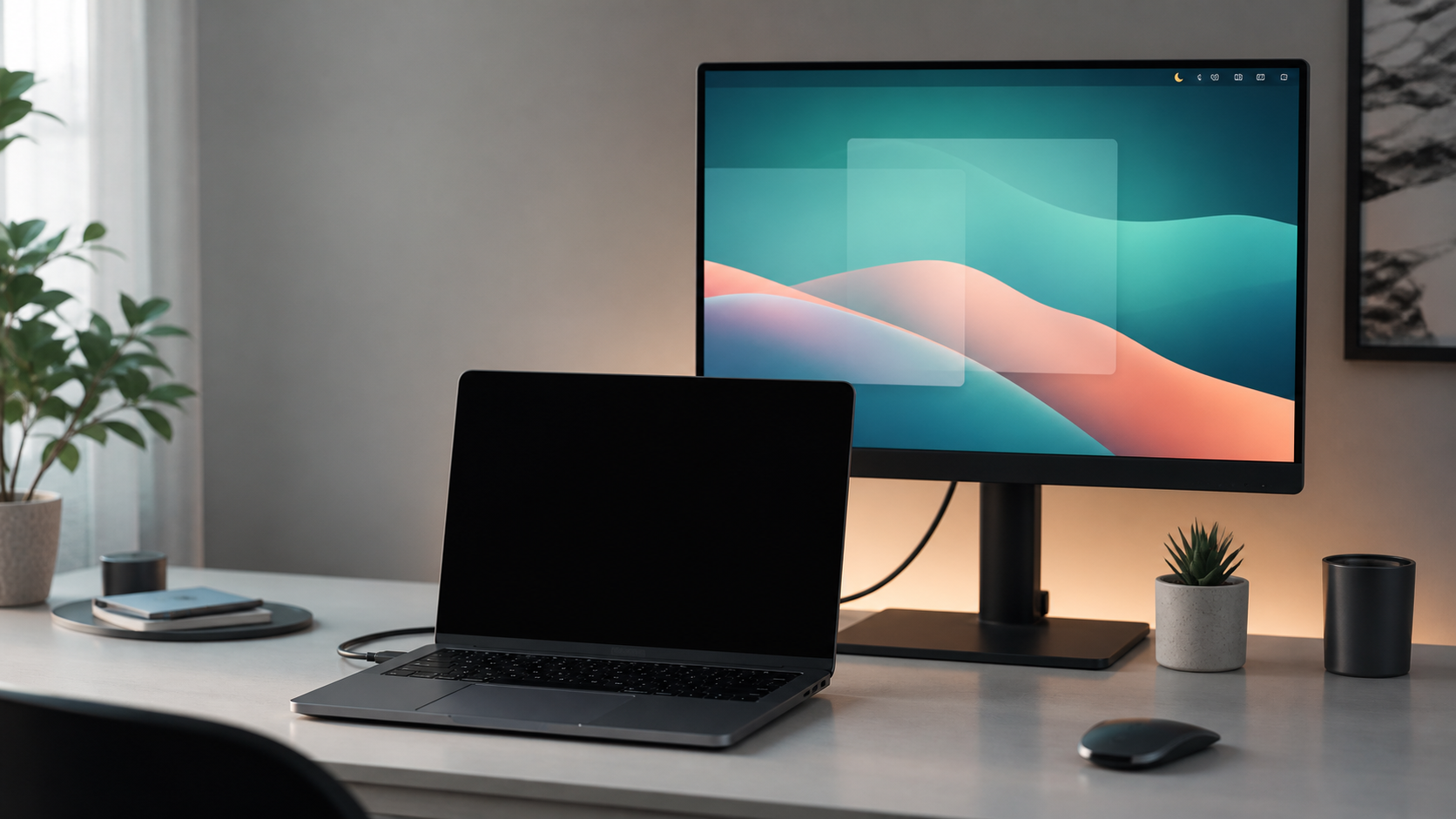
Laptop with blacked-out built-in display in front of an active external monitor.

Mac App Store のメニューバーユーティリティ

XHelpers

デスクに役立つ機能を、ひとつの Mac ユーティリティに。

XHelpers は、ディスプレイ制御、Finder 操作、ローカルのファイル暗号化を 1 つのメニューバーアプリにまとめます — サンドボックス化され、Mac App Store で配信されます。

ディスプレイ操作 Finder アクション ローカル Safe 暗号化(.safe) プライバシー第一

ディスプレイ制御

システム設定・サードパーティのウインドウツール・ディスプレイメニューを行き来せずに、作業画面をまとめて管理できます。

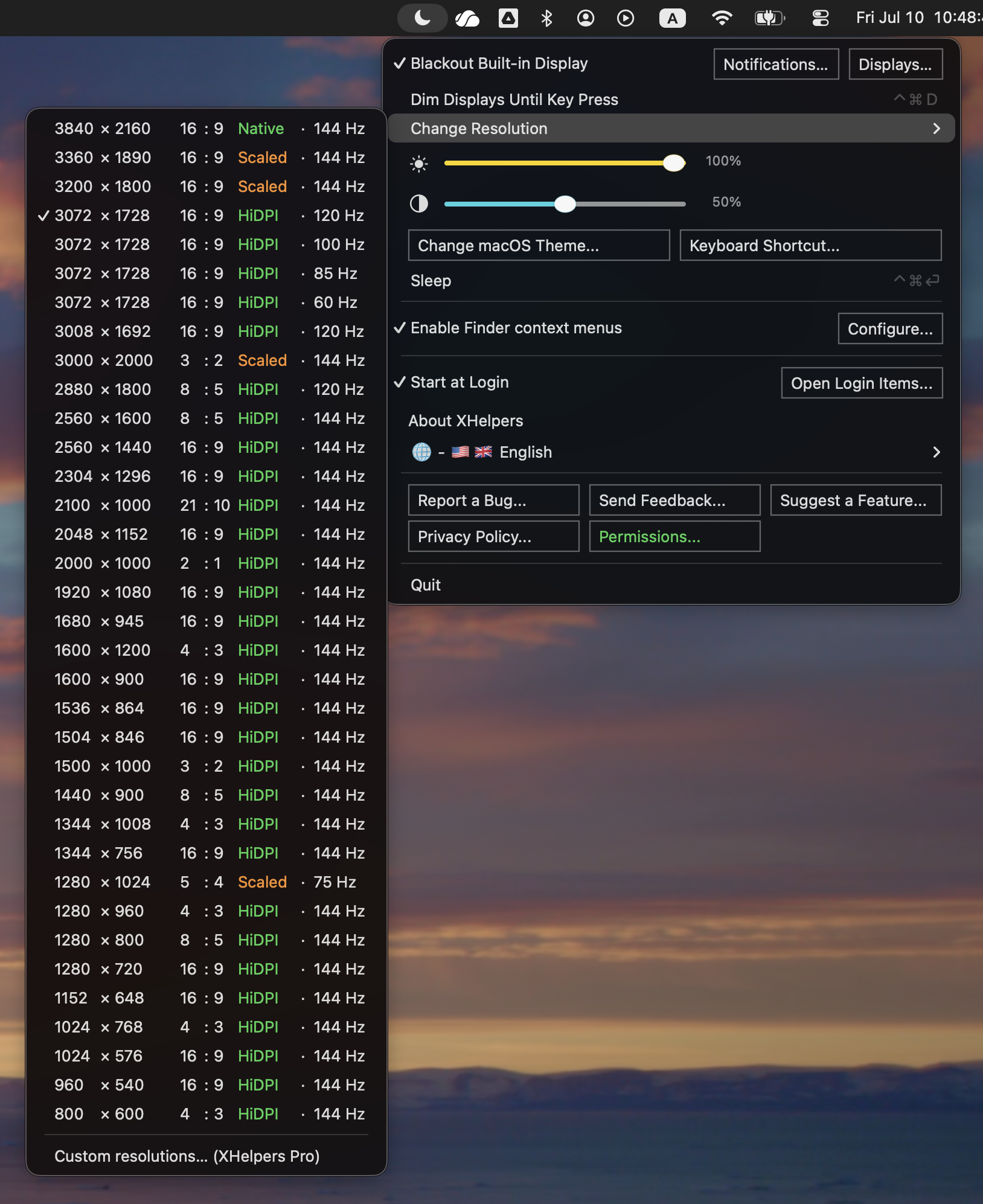
  • 外部モニタへミラーリング中に MacBook 内蔵ディスプレイをブラックアウト。
  • ミラーリングの切り替え、キー入力までの画面減光、スリープ、輝度・コントラストの調整。
  • HiDPI を含む、ディスプレイが対応するモードをすばやく切り替え。
カスタム HiDPI 解像度プリセットは XHelpers Pro の機能です。XHelpers はディスプレイが既に対応しているモードを切り替えます。
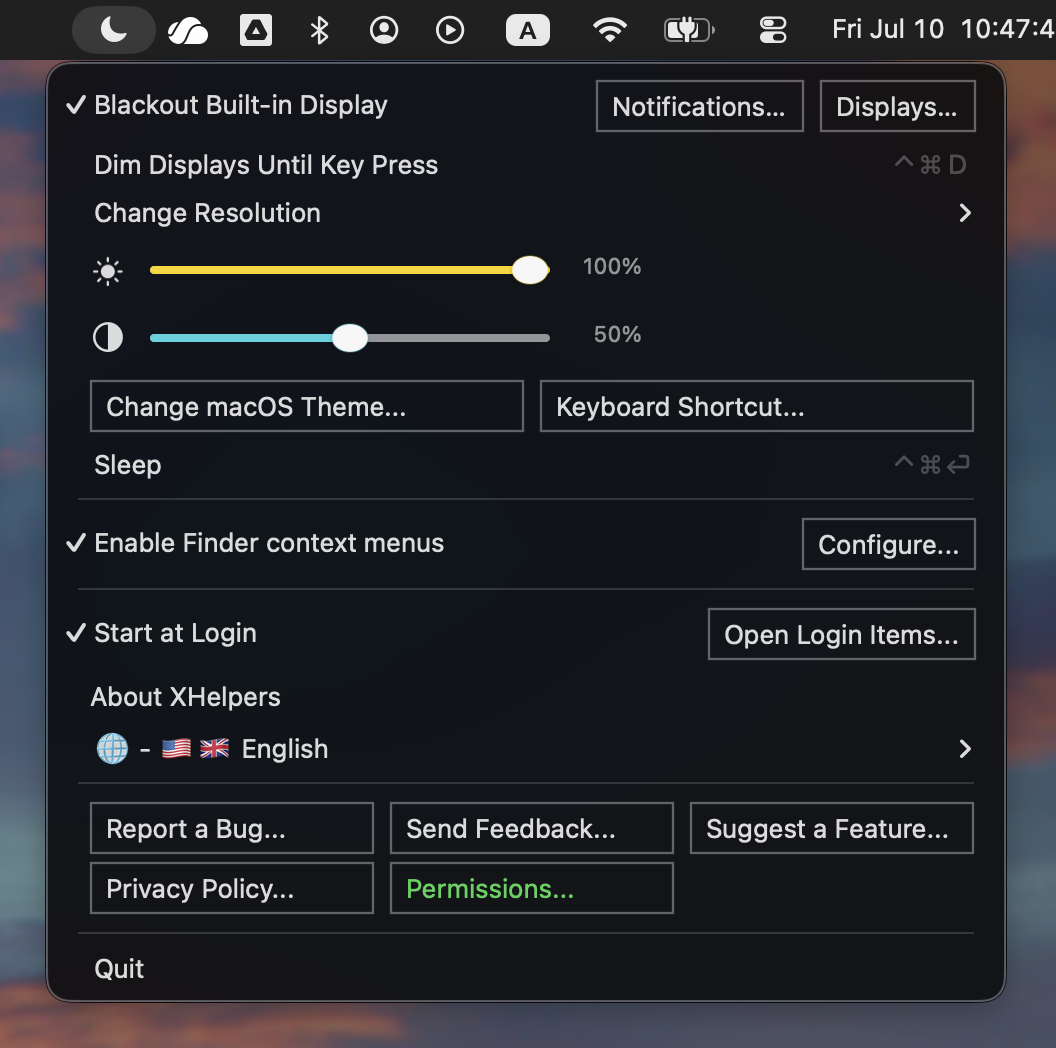
Main menu
メインメニュー
Display modes
解像度の変更

Finder アクションとローカル Safe

選択したファイル・パスワード・暗号化 Safe を Mac の中に保ったまま、Finder をもっと便利に。

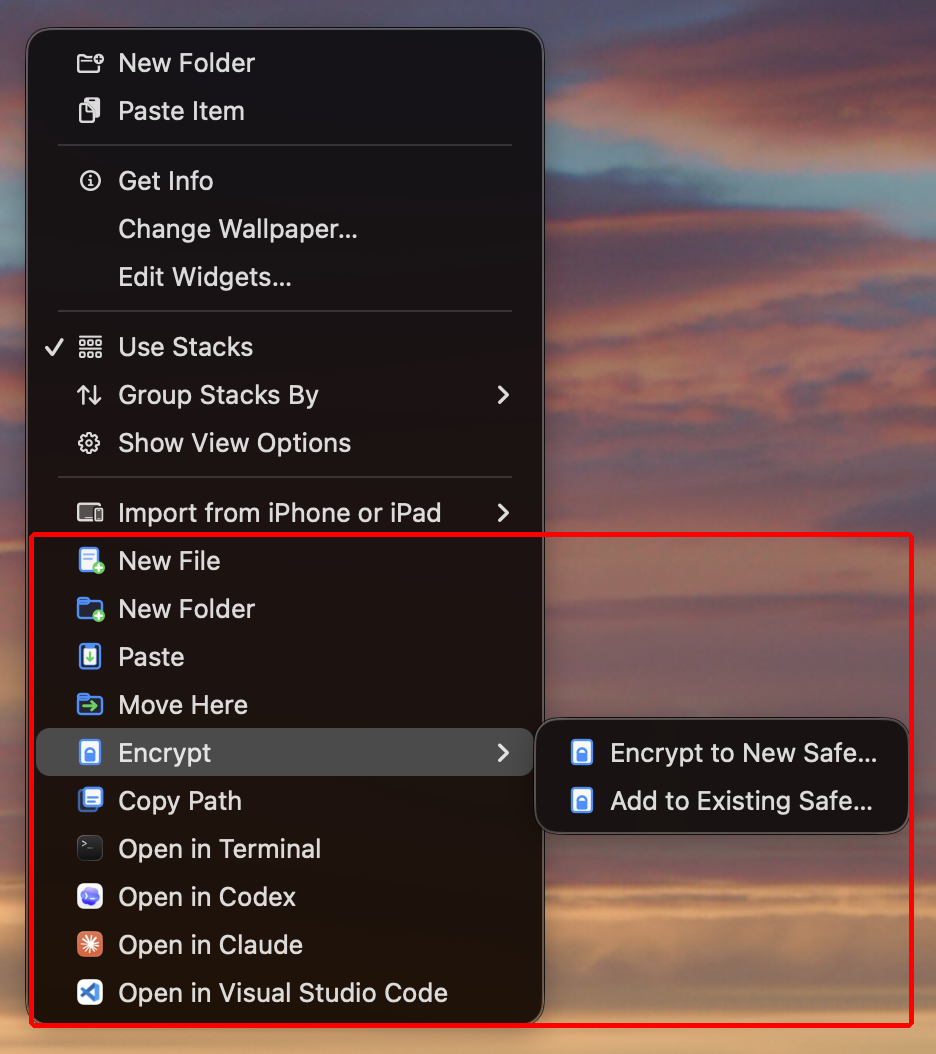
  • Finder から新規ファイル・フォルダを作成。
  • ペースト、移動、パスのコピー、そして Terminal・TextEdit・VS Code・Codex・Claude などの対応アプリでフォルダを開く。
  • 選択したファイルやフォルダをローカルの .safe ファイルに暗号化。
  • 既存の Safe にファイルを追加、または選択した内容だけを復号。
  • 互換形式の .7z、.zip、.dmg は XHelpers Pro で利用できます。
  • メニュー項目に対象フォルダ名を表示できるので、操作は必ず意図した場所に届きます。
Finder と Safe のアクションは、コンテキストメニューで XHelpers の項目を選んだときだけ実行されます。
Finder actions
Finder アクション
Finder configuration and permissions
Finder の設定とアクセス権

プライバシー第一

XHelpers はローカルの Mac ワークフローのために作られています。デスクユーティリティを、もうひとつのアカウントや分析ストリーム、クラウドファイルサービスに変えることはありません。

  • サンドボックス化された Mac App Store アプリ。
  • アカウント不要。
  • 分析、広告 SDK、利用テレメトリ、セッション追跡は一切なし。
  • Safe のパスワードは保存・記録・送信されず、暗号化はローカルで実行されます。
  • アプリ内でライブ状態とともに説明される、任意の権限は 1 つだけ:Finder 拡張機能。
Permissions overview showing the single Finder Extension permission with live status.
権限の概要(ライブ状態表示)
What's good about it?

Less fuss at your desk.

  • Only blacks out when it should dark when mirrored, normal when the MacBook screen is part of your workspace
  • Fast everyday actions switch mirroring, dim until key press, sleep, open Finder paths, and encrypt Safes
  • Helpful, not noisy runs from the menu bar without a Dock window, account, or analytics
For desk setups made for MacBooks that spend real time connected to an external display
For Finder and private files create, paste, move, open, encrypt, and decrypt selected items from the context menu you already use
For privacy no account, no analytics, no Safe password logging, and feedback opens as a reviewable email draft
How to get it

Install it from the Mac App Store.

  1. 1 Mac App Store で XHelpers のページを開きます。
  2. 2 XHelpers をインストールし、アプリケーションから起動します。
  3. 3 Finder の操作を使う場合のみ、Finder 拡張機能を有効にしてください。
macOS 13.0 以降 Apple Silicon + Intel アップデートは App Store 経由