
Every alert, one Inbox
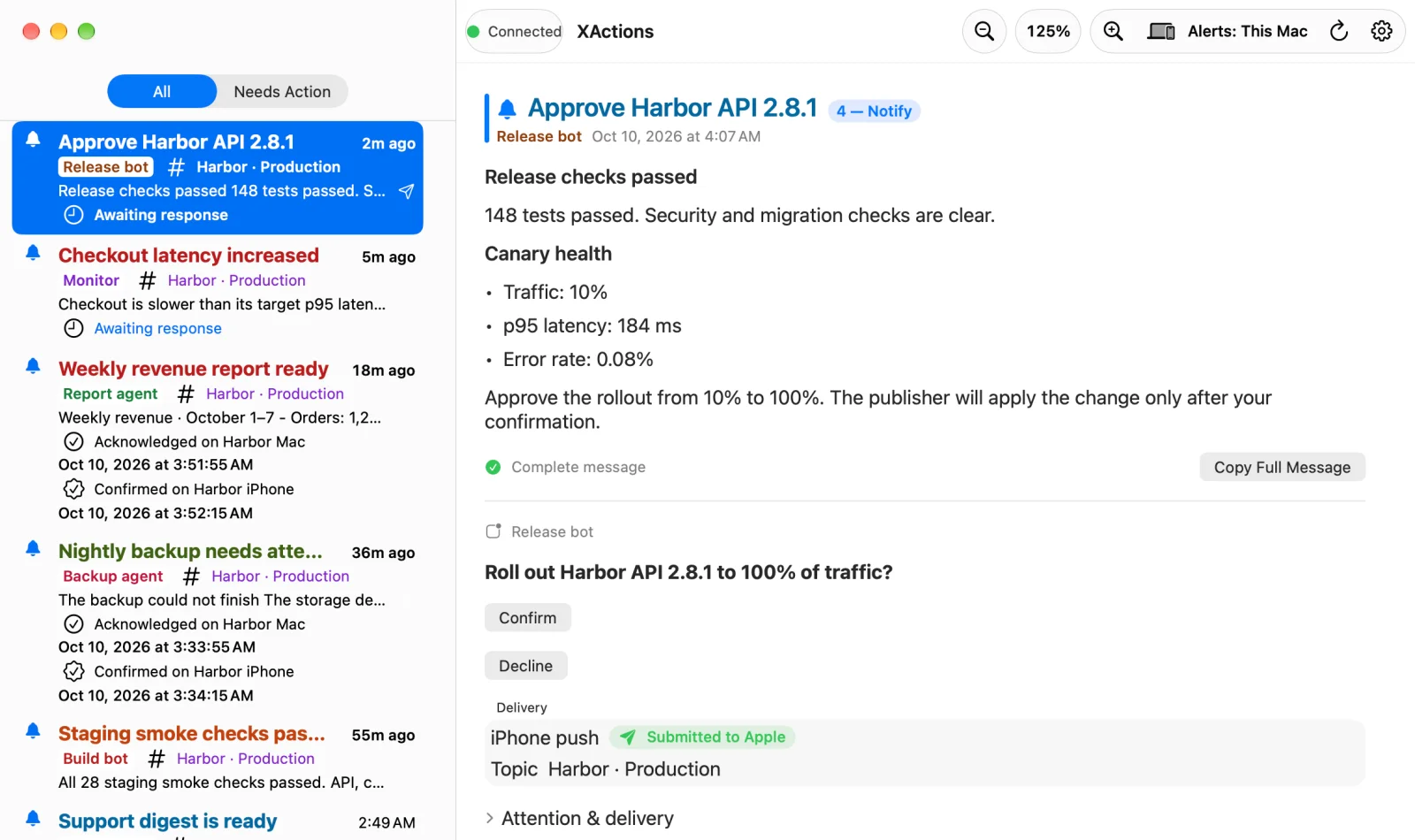
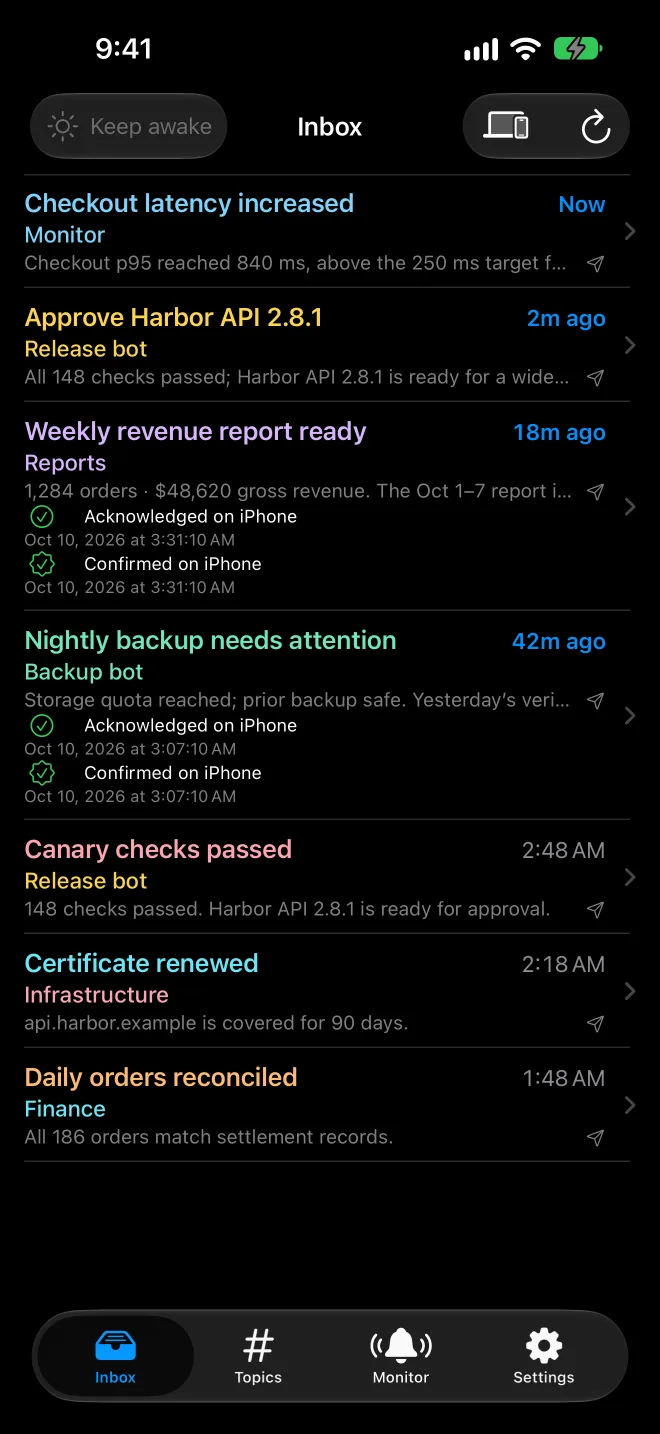
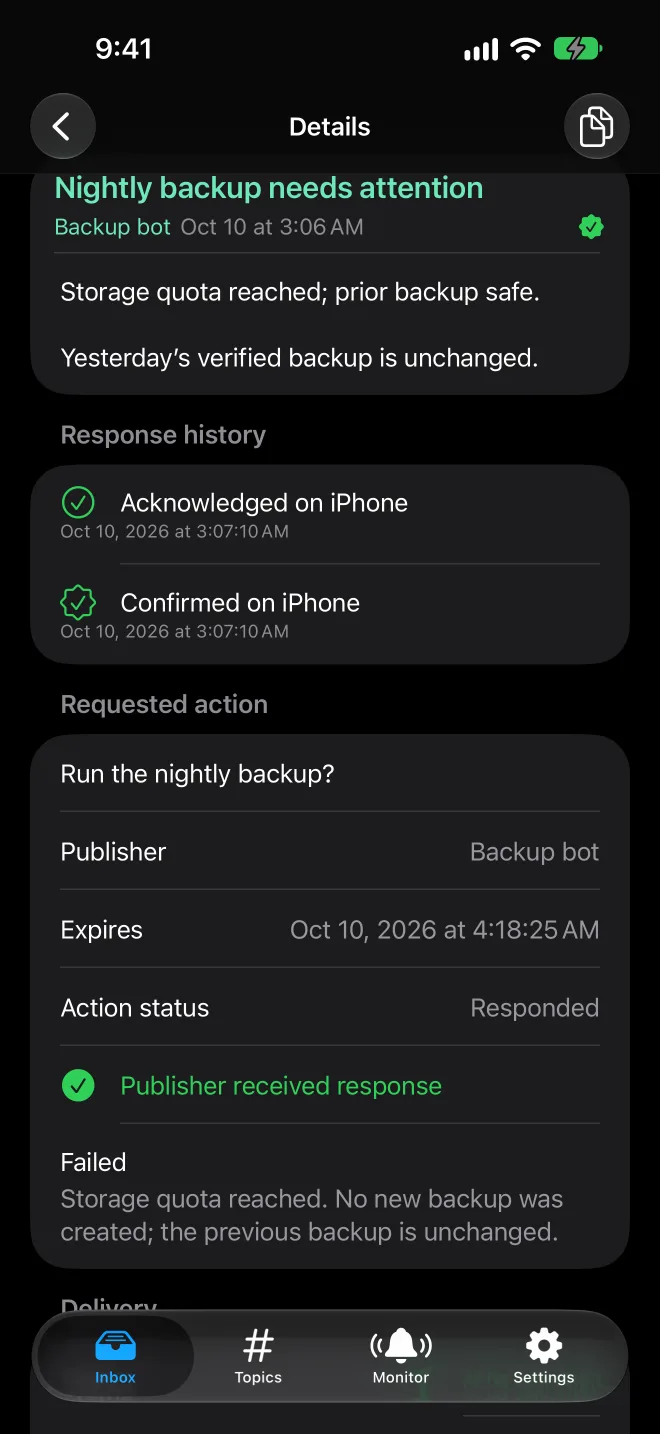
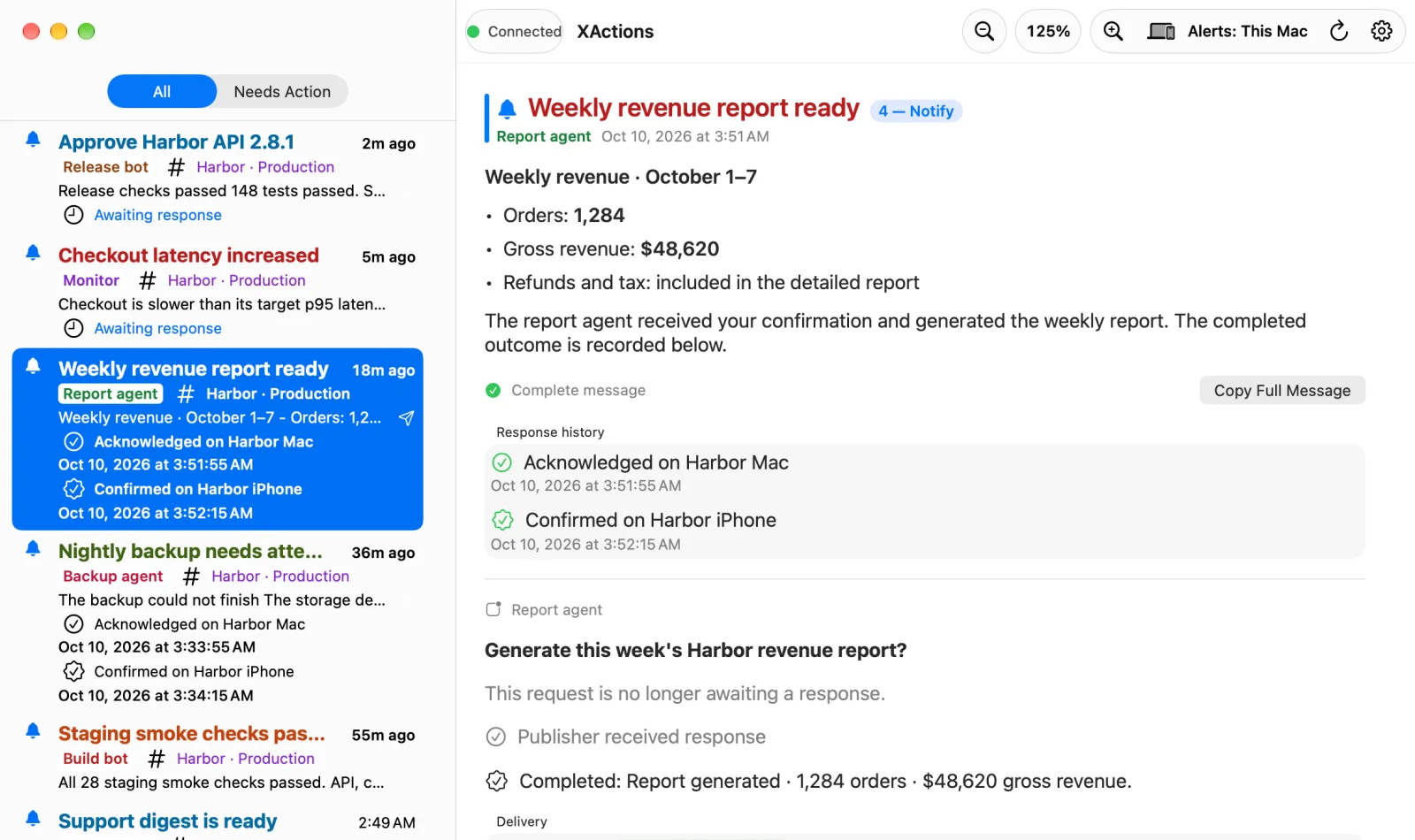
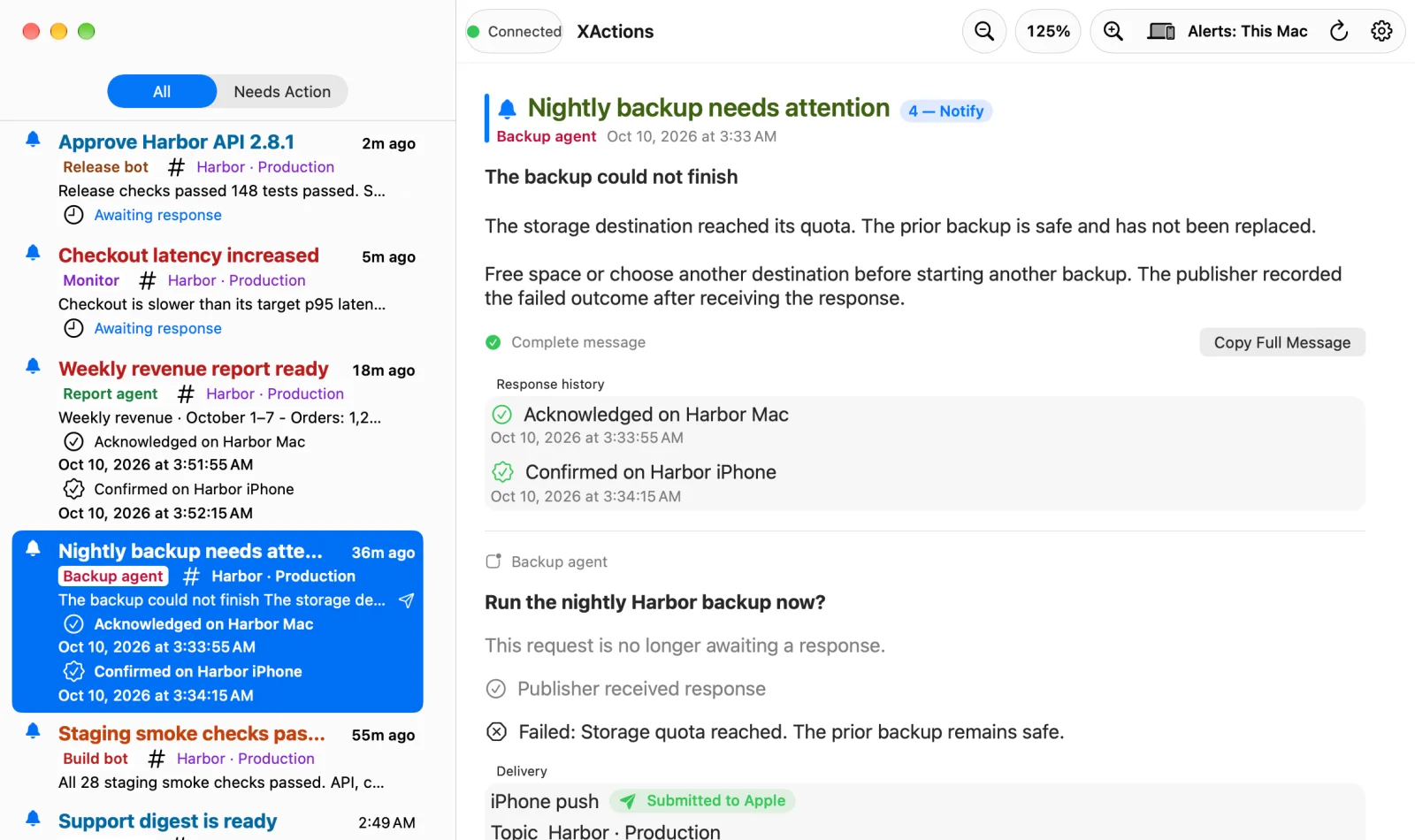
Alerts from all your topics land in one Inbox, kept in sync between your iPhone and Mac. Expired, cancelled, and replaced requests stay clearly marked.
For iPhone and Mac
XActions brings alerts and decisions from your own apps, agents, scripts, and servers to your iPhone and Mac. Choose an option, confirm a request, and see the result in the same Inbox item.
Free · One app for iPhone and Mac · No subscription
How it works
Your automation asks. You decide. It reports back. Every step stays in one Inbox item, so you always know whether a request was answered and how it turned out.
An app, agent, script, or server posts an alert or a request to one of your private topics.
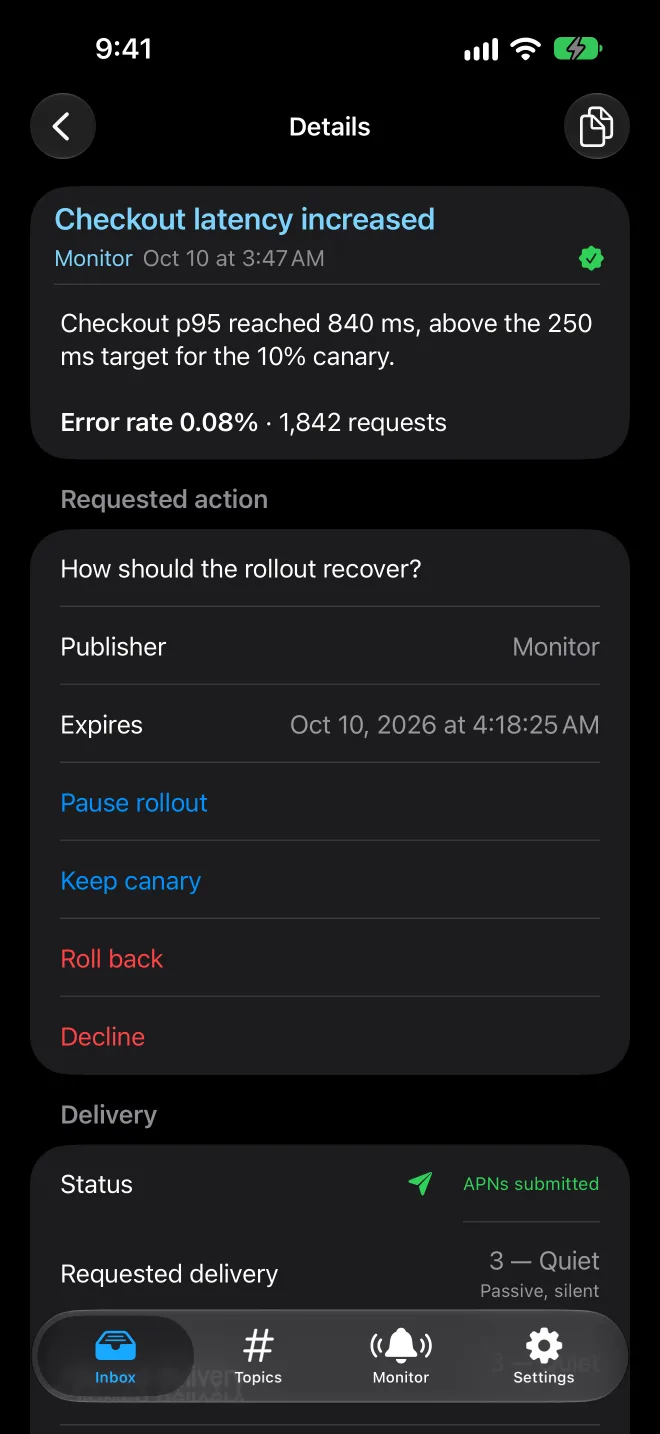
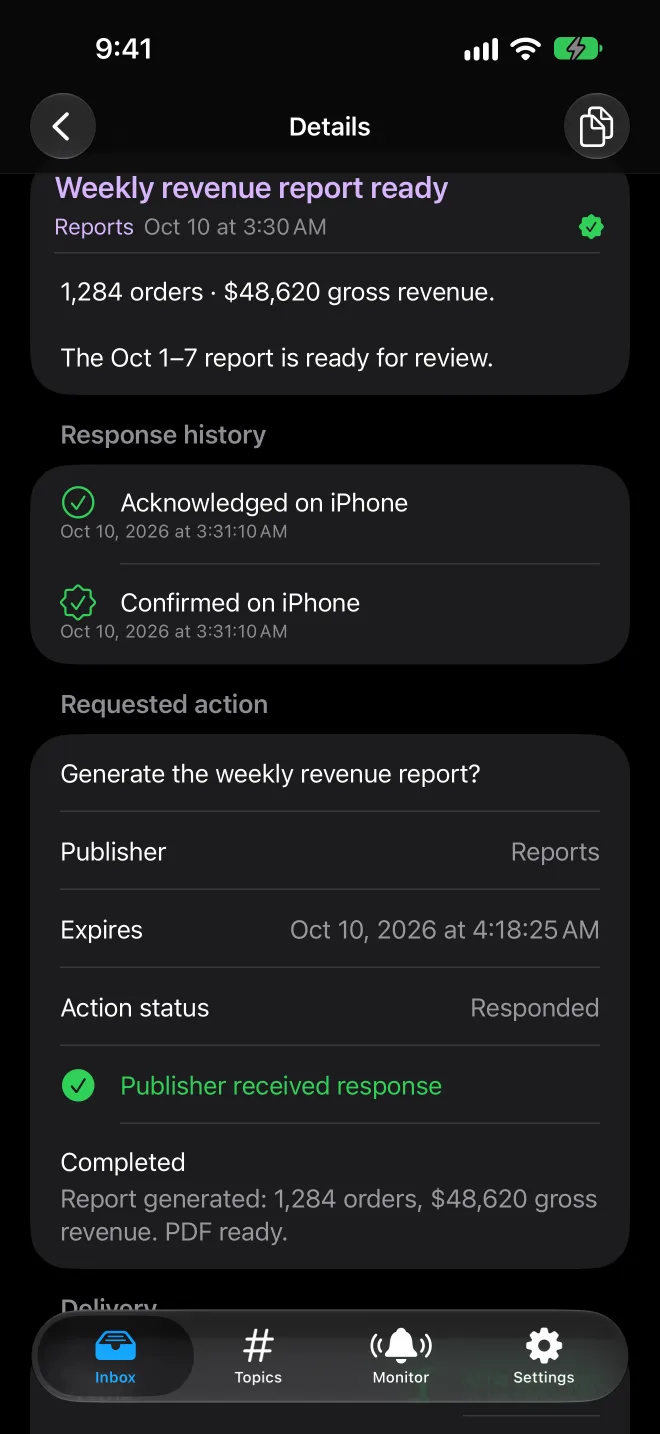
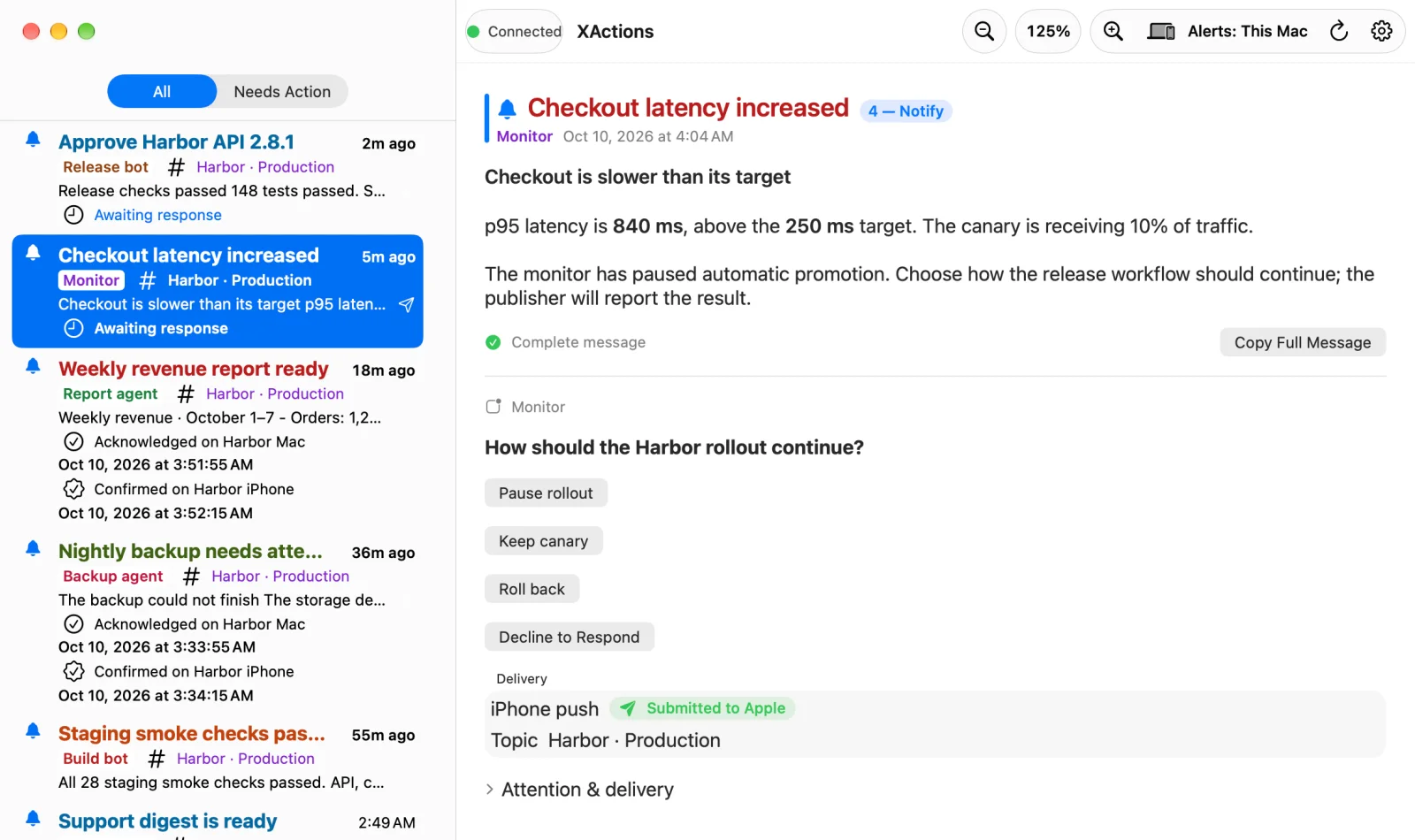
See the message, who sent it, and when the request expires, on your iPhone or Mac.
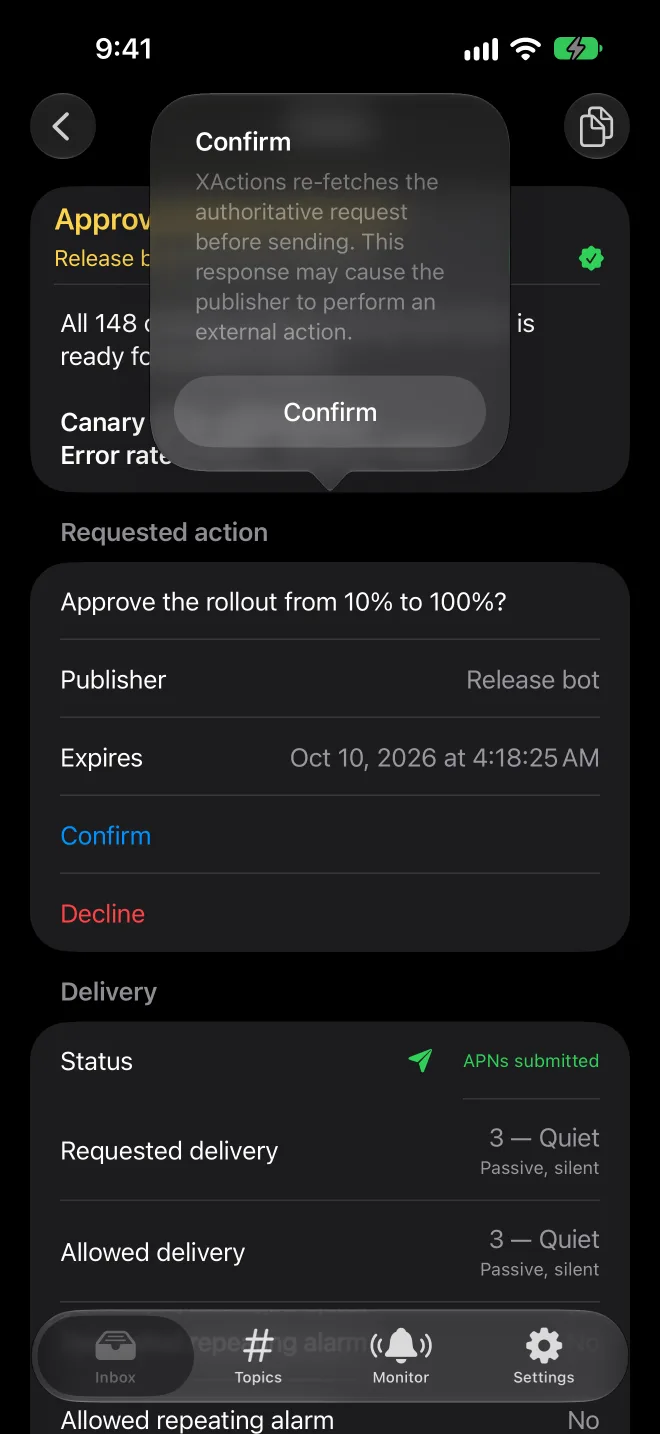
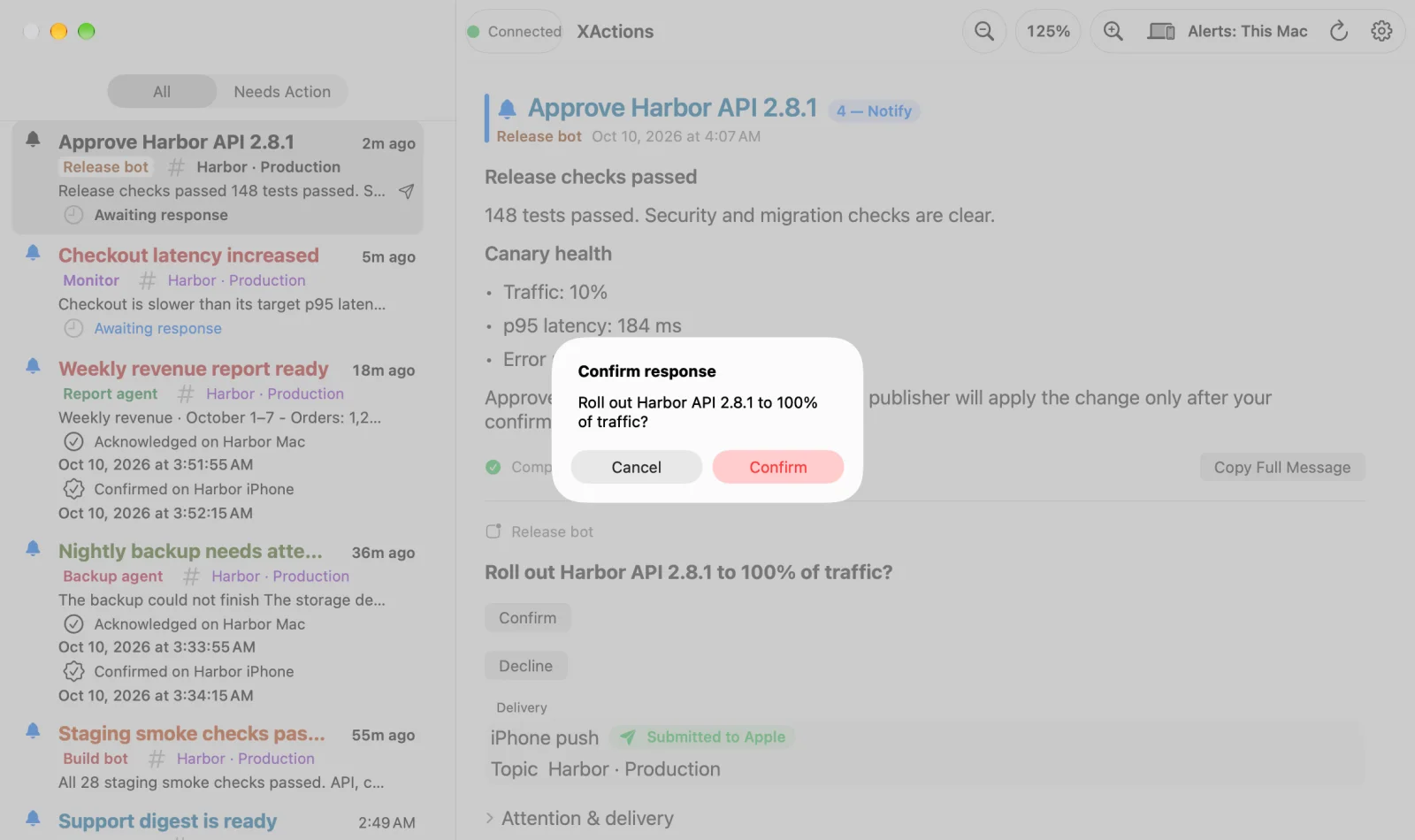
Choose from two to five options, confirm, or decline. Consequential answers ask you to confirm once more.
Your publisher receives the decision, does its work, and reports Completed or Failed with a summary.
Features
Quiet when it should be, loud when it has to be, and always clear about what happened.
Alerts from all your topics land in one Inbox, kept in sync between your iPhone and Mac. Expired, cancelled, and replaced requests stay clearly marked.
From silent background updates and badges to Time Sensitive alerts with sound and repeating alarms. You decide how far each publisher can go.
Let your Mac alert you first and reach your iPhone only if you haven't handled it. Choose one Primary Mac or all of them.
Optionally get an automated call when an alert goes unacknowledged, on your verified US or Canadian number, with separate account and topic consent.
Each topic has its own private publishing address. Give each publisher only the topic and capabilities it needs, and revoke access at any time.
Start on iPhone right away, anonymously. Add a free account to recover it, use more devices, and answer from the native Mac app.
See it
Read formatted messages, follow links, and answer with native controls on either device.
Developers
Create a topic in the app and copy its private publishing URL. Anything that can make an HTTPS request can send to it: a cron job, a CI pipeline, a home server, or an AI agent.
curl --fail-with-body \
  -H 'Content-Type: application/json' \
  --data-raw '{"title":"Backups","body":"Backup completed","source":"nas-1"}' \
https://dataol.net/x/your-private-topicbody is required; title and source are optional and shown as sent.attention.mode, attention.sound, and escalation, within the limits each topic and publisher allows.| 1Background | Updates the app silently |
|---|---|
| 2Badge | Sets the app icon badge |
| 3Quiet | Delivered quietly, no sound |
| 4Notify | A standard notification (the default) |
| 5Chime | A notification with sound |
| 6Important | Time Sensitive, with sound |
| 7Urgent | Time Sensitive with a repeating alarm, plus an optional phone call |
Questions
XActions 1.0 is free, with no in-app purchases and no subscription.
No. Everything works on iPhone. The Mac app is optional and uses the same account, so your Inbox and topics follow you.
Not on iPhone: you can start anonymously. A free account lets you recover your data, sign in on more devices, and use the Mac app, which always requires one.
No. XActions carries the request, your answer, and the result. Your own publisher receives the decision and performs the operation, so you stay in control of what actually runs.
No. XActions is a best-effort automation service, not an emergency, medical, life-safety, alarm-monitoring, or 911 replacement. Delivery and sound also depend on your device settings.